The access control problem spreadsheets can't solve
You share a Google Sheet with your team. Someone needs to update their project status. But now they can also see every client's revenue numbers, every employee's rate, and that one tab where you track who's underperforming.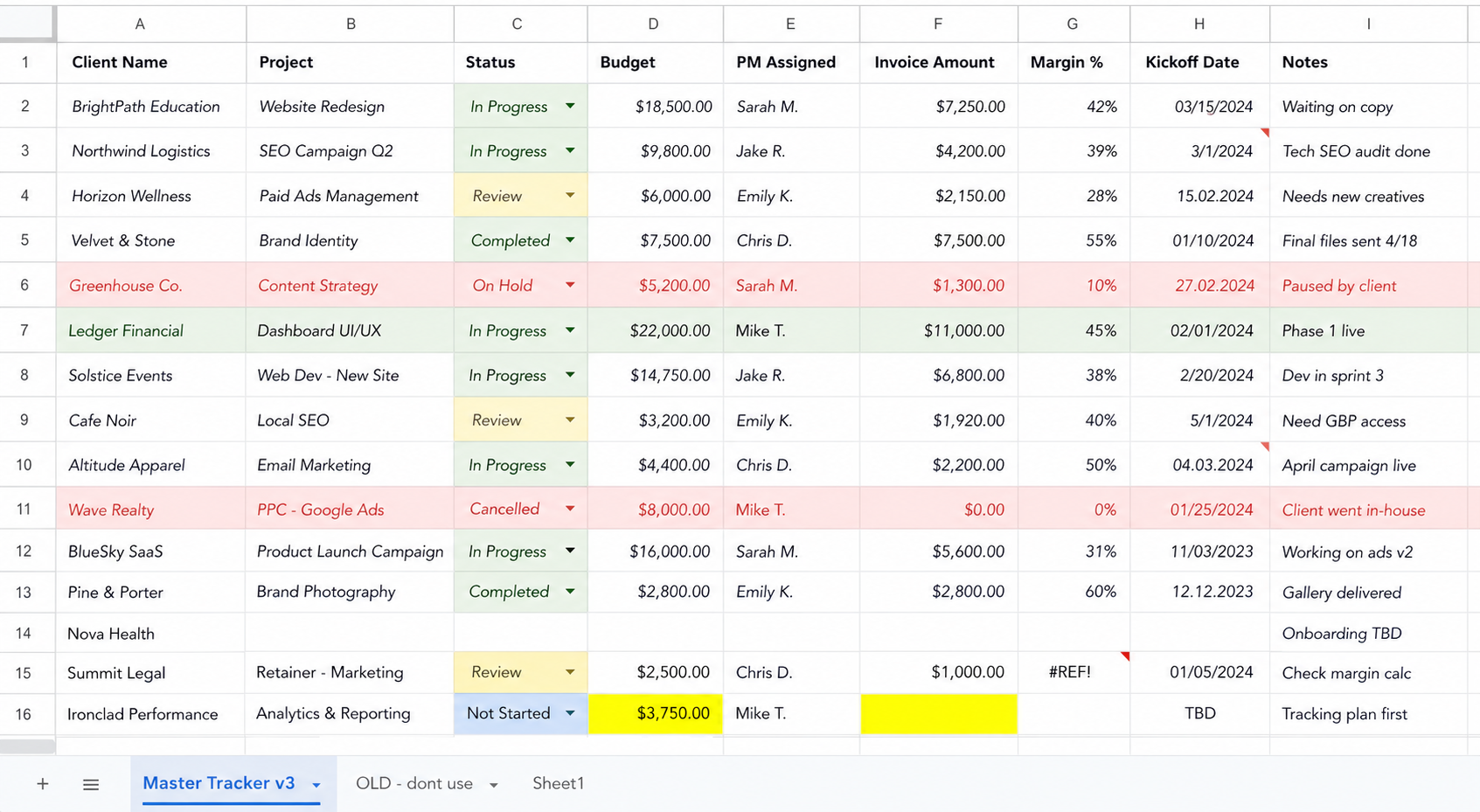
You didn't mean to share all that. But spreadsheets don't give you a choice.
The two options spreadsheets give you
Spreadsheets have a binary access model. You either give someone access to the entire file, or you don't. Google Sheets lets you protect individual sheets or ranges, but anyone with edit access can request to override those protections. Excel is worse. Password-protect a sheet and it takes about 10 seconds to Google how to crack it.
Most teams end up in one of two places, and both are bad.
The first is that everyone sees everything. The sales team sees the finance tab. The intern sees client contract values. The freelancer you brought on for two weeks can browse your entire operation. Nobody planned this. It just happened because the file needed to be shared and there was no way to share part of it.
The second is that people get locked out of what they actually need. You start restricting access to protect sensitive data, and now the project manager can't update their status sheet because it lives in the same file as the budget. So they message you. You unlock it. They update one cell. You lock it again. That's not a system. That's babysitting.
What "access control" actually means
In software, this is called RBAC, role-based access control. Different people see and do different things based on their role.
A project manager sees their projects, updates statuses, logs hours. They don't see what other PMs' clients are paying or what the company's margins look like.
An account manager sees their clients' contact info and project history. They can't edit invoices or change pricing.
A freelancer sees exactly the tasks assigned to them. Nothing else. When the contract ends, their access disappears.
A founder sees everything. Financials, team performance, client health, the whole picture.
graph TD
  A[Same system, same data] --> B[Founder]
  A --> C[Project Manager]
  A --> D[Account Manager]
  A --> E[Freelancer]
  B --> B1[Sees everything\nFull edit access]
  C --> C1[Own projects only\nUpdate status, log hours]
  D --> D1[Own clients only\nView contracts, no edit pricing]
  E --> E1[Assigned tasks only\nAccess expires with contract]
You can try to fake this in spreadsheets with separate files, hidden tabs, and protected ranges. It falls apart the moment someone shares the wrong link, or you forget to revoke access when someone leaves.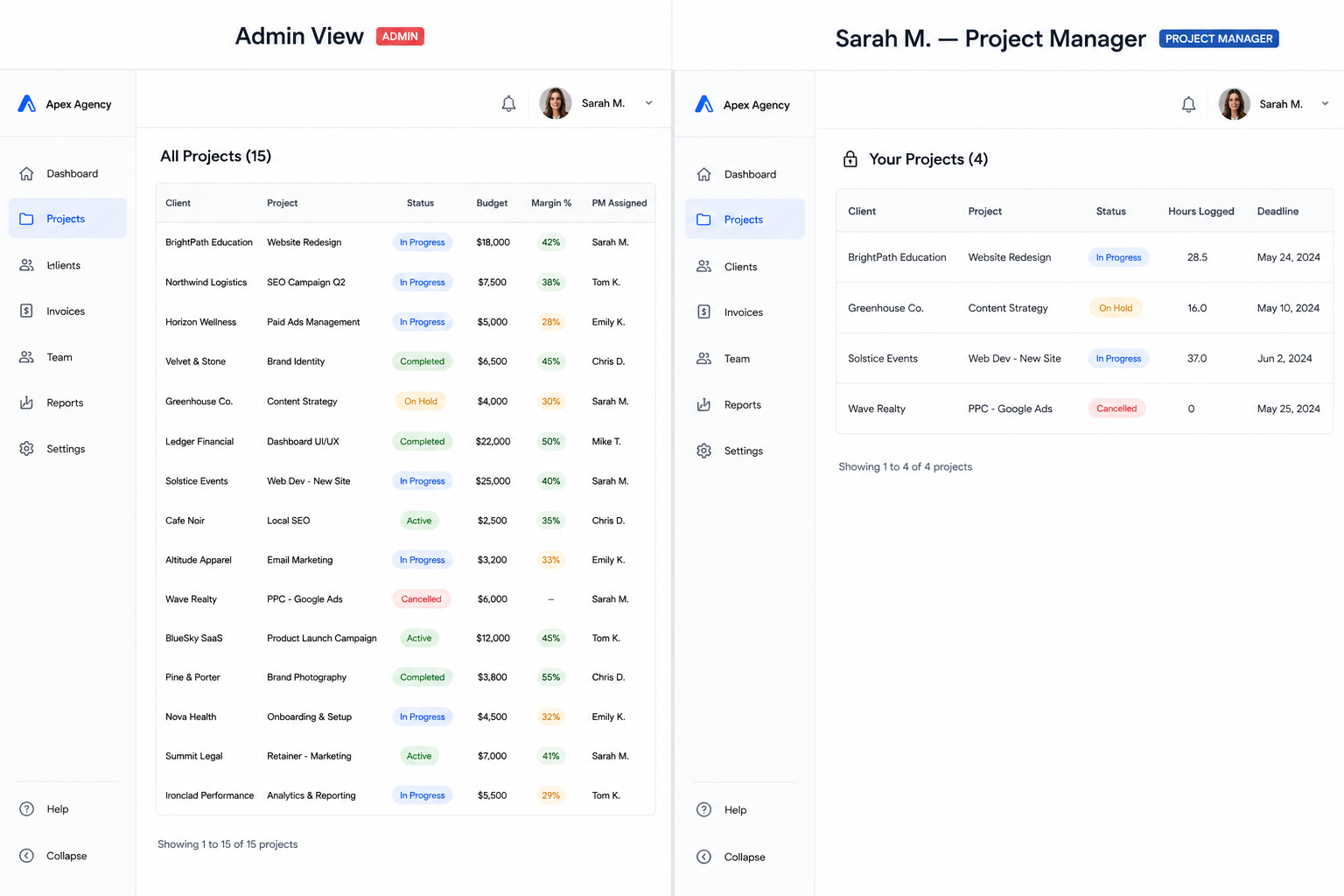
What actually goes wrong
Someone changes a formula in a sheet they shouldn't have been able to touch. Nobody notices for two weeks. By then, three reports have wrong numbers in them.
A freelancer screenshots your client list and takes it to their next gig. A departing employee downloads the revenue sheet on their last day. You never set up access boundaries because the spreadsheet didn't make it easy. Nobody calls this a data leak, but that's what it is.
Or the opposite happens. You stop sharing useful data because you're afraid of sharing too much. The team ends up under-informed. People make decisions without context because getting access to the right file was too much hassle.
And if you work with EU clients, GDPR applies. Storing personal data in a spreadsheet the entire team can access is a liability. You might not get audited today. But the day a client asks "who has access to our data?" you want a better answer than "everyone with the Google Drive link."
What we actually build
When I replace spreadsheets for a client, access control is usually one of the first things we set up. It's not as complicated as it sounds.
You define roles. Admin, manager, team member, contractor. Each role gets a different view of the same data. The project manager opens the system and sees their projects. The founder opens the same system and sees all projects. Same database, different windows into it.
Permissions go deeper than just "can see" or "can't see." Some people can view but not edit. Some can edit but not delete. Some can approve but not create. It depends on the workflow, and we figure that out together.
Every change gets logged. Who changed what, when. No more "who deleted row 47?" You just look it up.
And access can expire. A freelancer joins for a project, their account gets deactivated when it's done. No shared passwords floating around, no stale Google Drive permissions you forgot to clean up.
You don't need this on day one
If your team is five people and everyone wears multiple hats, access control is overkill. Just use the spreadsheet. Everyone seeing everything is fine at that size. It keeps people aligned.
But the moment you catch yourself thinking "I wish I could share this without sharing that," that's the signal. Spreadsheets don't have a good answer for it.
If your team has hit this wall, I do a free 45-minute call where we look at your current setup and talk through what role-based access would look like for your team specifically.